Microsoft is Abandoning Old Computer Hardware But You Don’t Have To
As you may have seen back in October Microsoft fianlly executed on the Windows 10 end of life plan they rolled out when they Launched Windows 11 in 2021, well kinda, technically there are ways to extend support depending on if your a business user or a home user and what country you’re in but for all intents and purposes Windows 10 is dead.
"So what" you think "I'll just upgrade to Windows 11 and it will all be fine just Like i did from Windows 7 to Windows 10" You google "Windows 11 upgrade" it takes you microsofts offical upgrade tool and you download and run it. "This PC doesn't meet Windows 11 System Requirements" the tool instantly says.
At this point you have a few options. You can run to Currys and buy a shiny new Windows+CoPilot PC (you shouldnt do this) or you can use a tool like Rufus to remove the checks that windows 11 does but this requires a fresh reinstlal on your PC rather than an upgrade and you then have to deal with the constant upselling and advertisments in Windows 11 as well as 1 Trillion CoPilot buttons everywhere in the OS but wait there is a secret third option (always the best option). Free yourself from the shackles of Microsoft and embrase the world of Linux. I promise its not as scary as it sounds.
This was the exact senario I was in with my Lenovo Thinkpad X270 laptop. For my personal laptop needs these days its plenty of power for writing these blog posts and surfing the web and even the occational game of balatro if i some how dont have any other device on me to play it on yet Microsoft have deemed this perfectly good computer as ewaste garbage trash ready to be thrown away thefore I no longer respect their judgement.
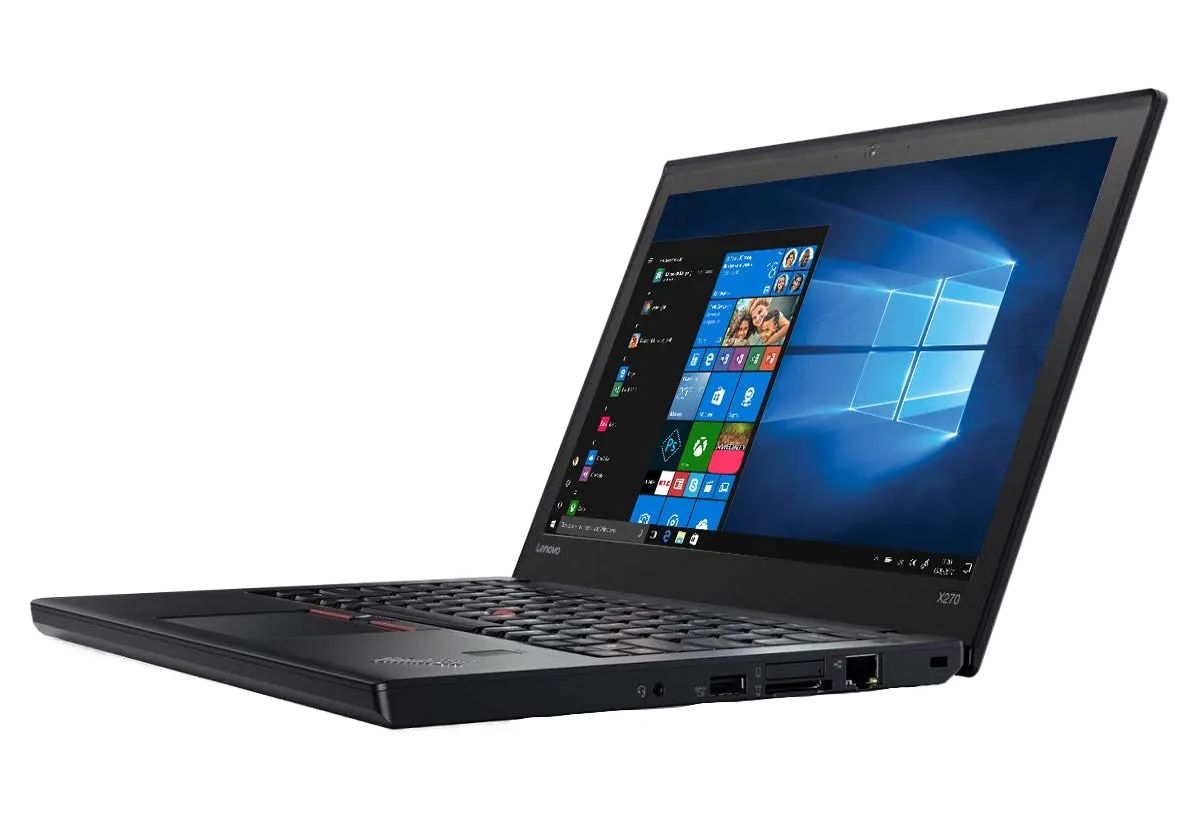
Lenovo X270
Luckily I am not SOL in this case our good friends over in Linux land have been working on a plethora of options for us to use depending on our machine and our desired experiance. The best bit is that for the most part they are free!
For the gamers out there there is options like Bazzite, CachyOS and PopOS. For the newbies theres Zorion OS that will really hold your hand or just Plain Ubuntu or Mint.
And fianlly for the hardcore sickos there is Arch Linux (you shouldn't do this unless you know what your doing and or hate yourself)
This is not to say though that you cant use other OS or even use one not explicitly meant for that purpose it was built for for something else which is the beauty of linux. No shareholders to apease on the development side and an understanding that you own your computer. For example on my Gaming PC I use Linux Mint and I manually installed the Nvidia drivers myself (basically the main advertised features of things like Bazzite and CachyOS is they do this for you.)
But back to my humble ThinkPad, I again decided to opt for Mint due to my now familiarity with it and with its new lease on life i decided to invest in both a new internal and external battery for the device to make it last another 10 years.
If youre really feeling intimidated by this whole linux thing though I recommend giving ZorinOS a try. This is a version of Ubuntu that has been customised by a small dev team of two brothers who bave worked to make it as user friendly as possible. They have also buit themes to make it as similar to Windows or MacOS so you dont feel totally out of place. Even emulationg things like the windows start menu they have even done work to make windows EXEs to run with zero tinkering for those apps that havent got a linux version or equivilent.
Especially in these uncertain times with RAM quadroupling in price and other "economic situations" it may be that all your laptop or desktop needs is a fresh new unbloated OS to keep it going despite what Microsoft may tell you.
Last Edited: 1 month, 2 weeks ago.